
Billing & Pro
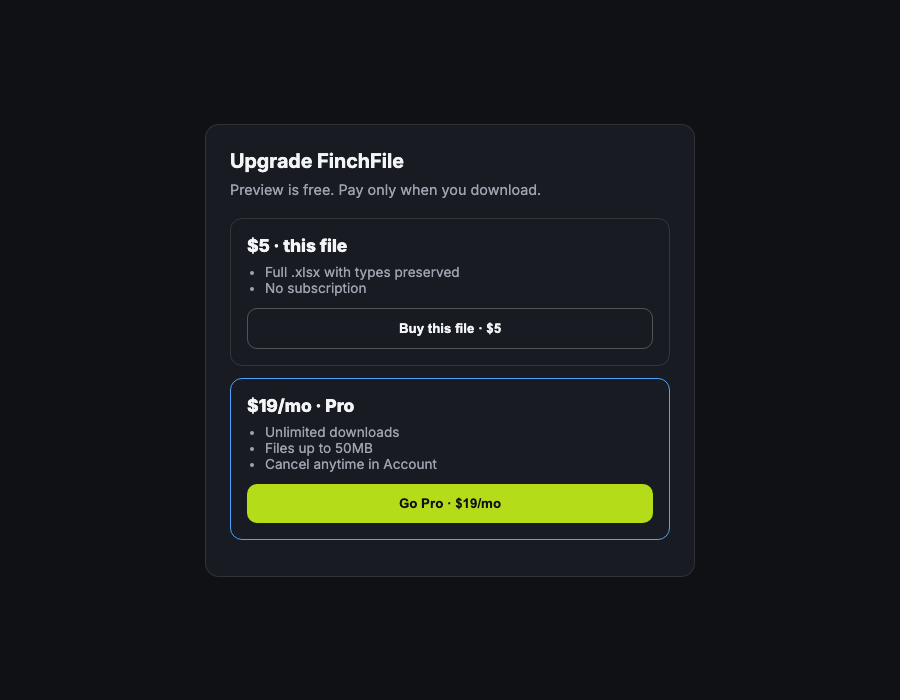
- $5 / file — one download credit, no subscription.
- $19 / mo Pro — unlimited downloads, larger files, cancel anytime.
Cancel Pro
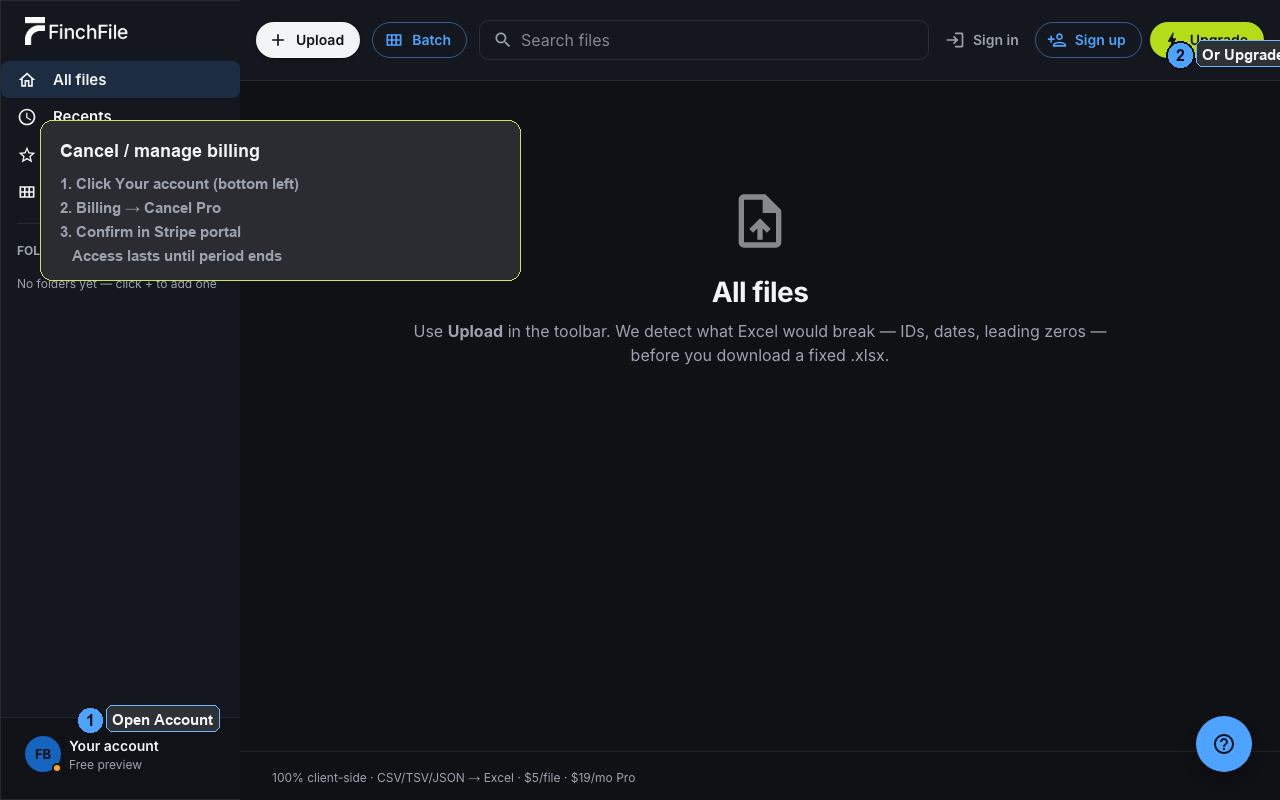
- Open the app → click Your account (bottom left).
- Under Billing, click Cancel Pro (or Manage subscription).
- Confirm in the Stripe billing portal. Access continues until the period ends.
Update card / invoices
Account → Update payment method or Manage subscription opens the same secure Stripe portal.
Questions: hello@finchfile.com